WapiPro
Blog / WhatsApp Marketing / May 15, 2026 / 6 min read

How to Export WhatsApp Contacts and Turn Them Into a Clean Sales Database

Learn how businesses can export WhatsApp contacts, clean their data, assign sellers, track orders, and build a more organized WhatsApp sales workflow with WapiPro.
Ad
Admin
Share
How to Export WhatsApp Contacts and Turn Them Into a Clean Sales Database

WhatsApp conversations are useful, but raw chats are not a sales database

For many businesses, WhatsApp is where leads arrive, customers ask questions, sellers negotiate, and orders are confirmed. The problem starts when those contacts stay inside chats, groups, labels, or personal phones. A sales team cannot follow up properly if customer names, phone numbers, order status, and seller ownership are scattered across different devices. WapiPro helps turn WhatsApp contact activity into organized business data that can be exported, reviewed, segmented, and used by sales, support, and call-center teams.

Why exporting WhatsApp contacts matters for business operations

Exporting contacts is not only about downloading phone numbers. The real value is operational control. When contacts are organized in Excel or a CRM-ready file, managers can see which leads belong to each seller, which customers need a callback, which orders are still pending, and which segments should receive a compliant follow-up campaign. This is especially important for eCommerce teams, real estate agents, agencies, delivery businesses, distributors, and call centers that receive hundreds of WhatsApp messages every week.

A practical example

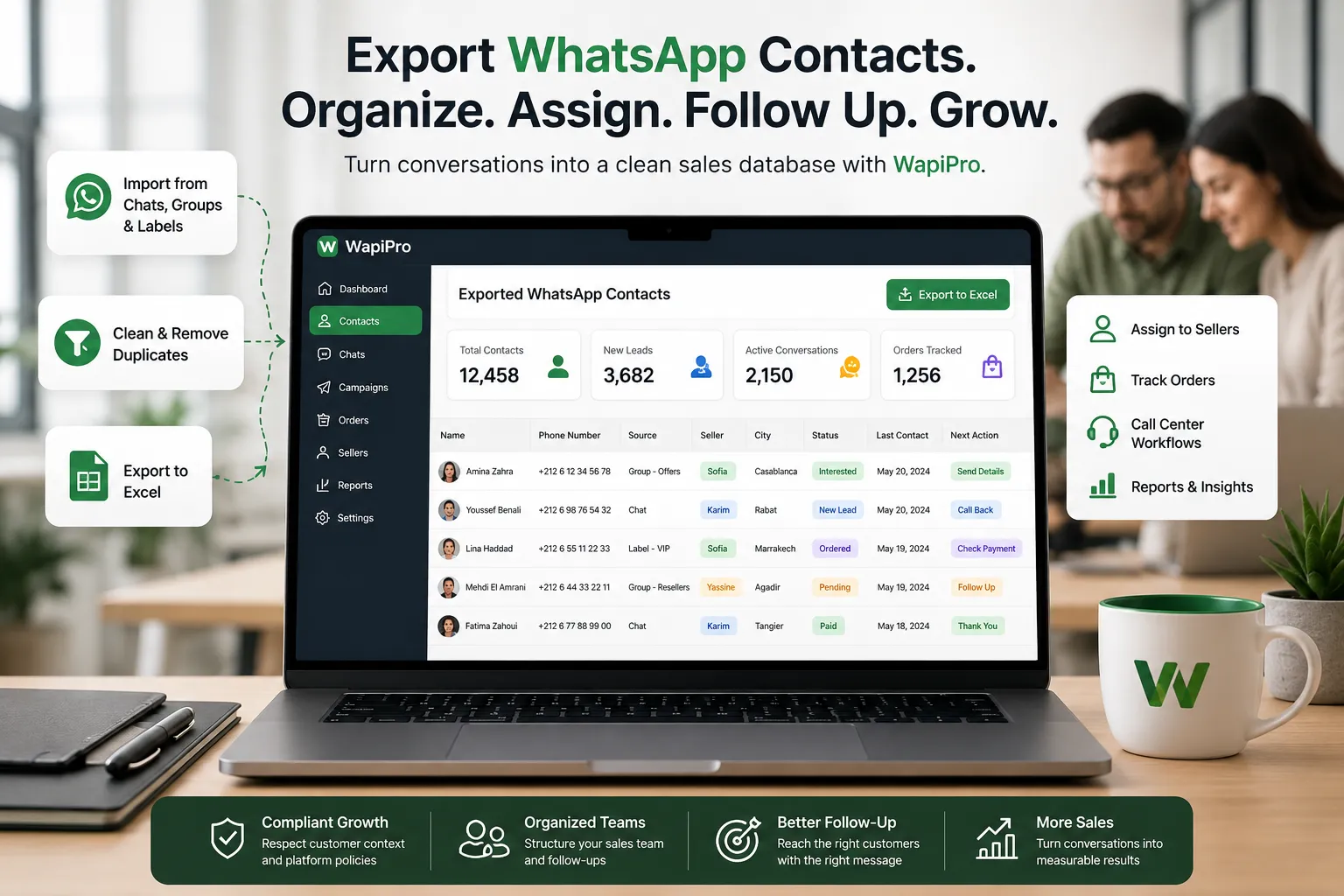
Imagine a business with five sellers using WhatsApp Web every day. One seller manages new product inquiries, another handles repeat buyers, and a third follows up with unpaid orders. Without a shared export process, the manager only sees partial information. With WapiPro, the team can export contacts from relevant chats, groups, and WhatsApp Business labels, then structure the data by seller, campaign, city, lead source, and order status.

What a clean WhatsApp contact export should include

A useful export should be more than a list of numbers. It should help the team understand who the contact is, why they matter, and what should happen next. Before importing contacts into a CRM, call-center sheet, or seller dashboard, businesses should review duplicates, remove incomplete records, standardize phone formats, and separate active buyers from cold leads. This prevents wasted calls, duplicate messages, and poor customer experience.
  • Customer name or WhatsApp display name
  • Phone number in a consistent international format
  • Source such as group, chat, label, campaign, or seller
  • City, country, or delivery area when available
  • Seller or agent responsible for the follow-up
  • Lead status such as new, contacted, interested, ordered, paid, or not interested
  • Last interaction date for prioritizing callbacks
  • Consent or communication note when required by your process

Practical note

Do not treat every exported number as ready for mass messaging. A professional WhatsApp growth workflow should respect customer context, opt-in rules, local regulations, and platform policies. Use exports to organize business operations first, then create targeted and relevant follow-ups instead of sending the same message to everyone.

How WapiPro supports sales teams, sellers, and call centers

WapiPro is built for teams that use WhatsApp as part of their daily sales process. It helps export contacts, organize seller operations, manage customer lists, track orders, and support call-center workflows. Instead of leaving valuable leads hidden inside WhatsApp Web, teams can convert them into structured files and operational dashboards. This makes follow-up easier, reduces manual copy-paste work, and gives managers better visibility over the pipeline.

Manual contact handling vs WapiPro workflow

Manual workflow WapiPro workflow
Copy numbers one by one from chats Export contacts from WhatsApp Web workflows faster
High risk of duplicates and missing numbers Cleaner lists that can be reviewed and organized
No clear seller ownership Contacts can be grouped by seller, label, campaign, or operation
Difficult to track follow-up status Sales and support teams can work from structured data
Managers depend on screenshots or verbal updates Managers can review exported files and operational reports

Best workflow for exporting WhatsApp contacts to Excel

The strongest workflow starts before the export. First, define the business goal: lead follow-up, order recovery, customer support, seller assignment, or campaign segmentation. Then choose the correct WhatsApp source, such as chats, groups, or WhatsApp Business labels. After exporting, clean the data, remove duplicates, assign ownership, and add status columns. Finally, use the file for structured follow-up, not random broadcasting.

Step-by-step checklist

  • Decide why you are exporting the contacts: sales, support, orders, or segmentation.
  • Select the right source: individual chats, groups, labels, or business conversations.
  • Export the contact list using WapiPro.
  • Clean duplicates and remove numbers that are not useful for the operation.
  • Standardize phone numbers before uploading them to any system.
  • Add seller, city, status, and next-action columns.
  • Prioritize contacts based on business value and last interaction.
  • Use compliant, relevant, and human follow-up messages.

Common mistakes to avoid after exporting contacts

The biggest mistake is exporting contacts and immediately sending the same promotional message to all of them. That usually creates low response rates and can damage trust. A better approach is to segment contacts by intent: new lead, existing buyer, abandoned order, reseller, support request, or VIP customer. Another mistake is keeping the export as a static file. For active teams, the file should become part of a repeatable workflow with seller ownership, call results, order updates, and next follow-up dates.

A better way to grow with WhatsApp

Healthy WhatsApp growth is not about collecting the maximum number of phone numbers. It is about building a clean, useful, and permission-aware customer database that helps the team respond faster and sell better. WapiPro gives businesses a practical starting point: export contacts, organize them, assign them, track them, and build more controlled WhatsApp operations.

FAQ

Can I export WhatsApp contacts to Excel with WapiPro?

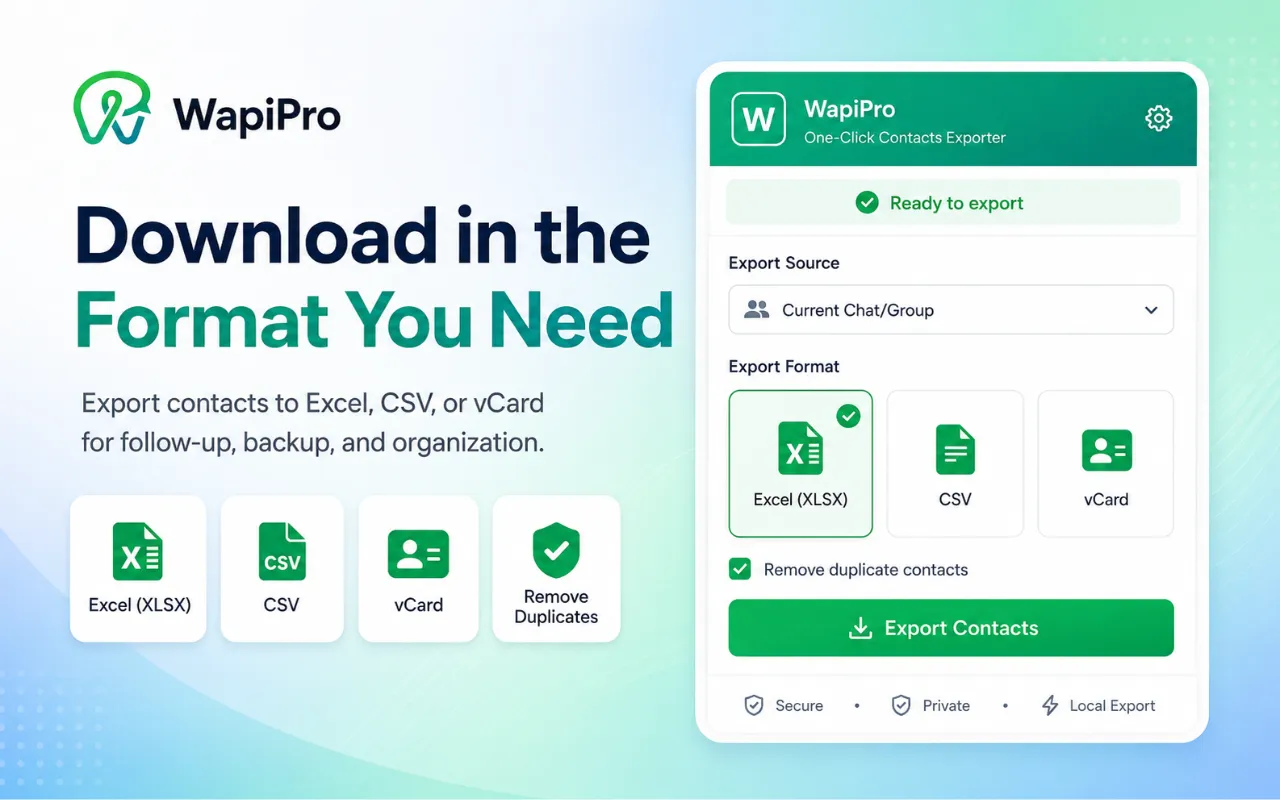
Yes. WapiPro helps businesses export WhatsApp contacts into structured files that can be opened, cleaned, and used in Excel or similar tools.

Can WapiPro export contacts from WhatsApp groups?

WapiPro is designed to help teams collect and organize contacts from WhatsApp Web workflows, including business use cases involving chats, groups, and labels.

What should I do after exporting WhatsApp contacts?

Clean duplicates, standardize phone numbers, add seller ownership, define lead status, and use the list for relevant follow-up instead of generic mass messaging.

Is exporting WhatsApp contacts enough for sales management?

Exporting is only the first step. For better sales control, teams should connect the exported data to a clear process for follow-up, order tracking, seller assignment, and reporting.

How can businesses use WhatsApp contacts responsibly?

Businesses should respect customer context, applicable privacy rules, opt-in requirements, and platform policies. WapiPro helps organize operations, but each business remains responsible for compliant communication.

Start organizing your WhatsApp contacts with WapiPro

Export contacts, clean your lists, assign sellers, and build a more controlled WhatsApp sales workflow.
Related articles